Try it Free on iOS & Android

The apps your kid loves are locked.
They unlock them by earning & learning.

A language lesson, a step goal, a chess puzzle, a chapter, a chore - each one pays Time Coins. Coins buy minutes. You set the prices once, and the arguing stops.

Join beta testing
Try it free
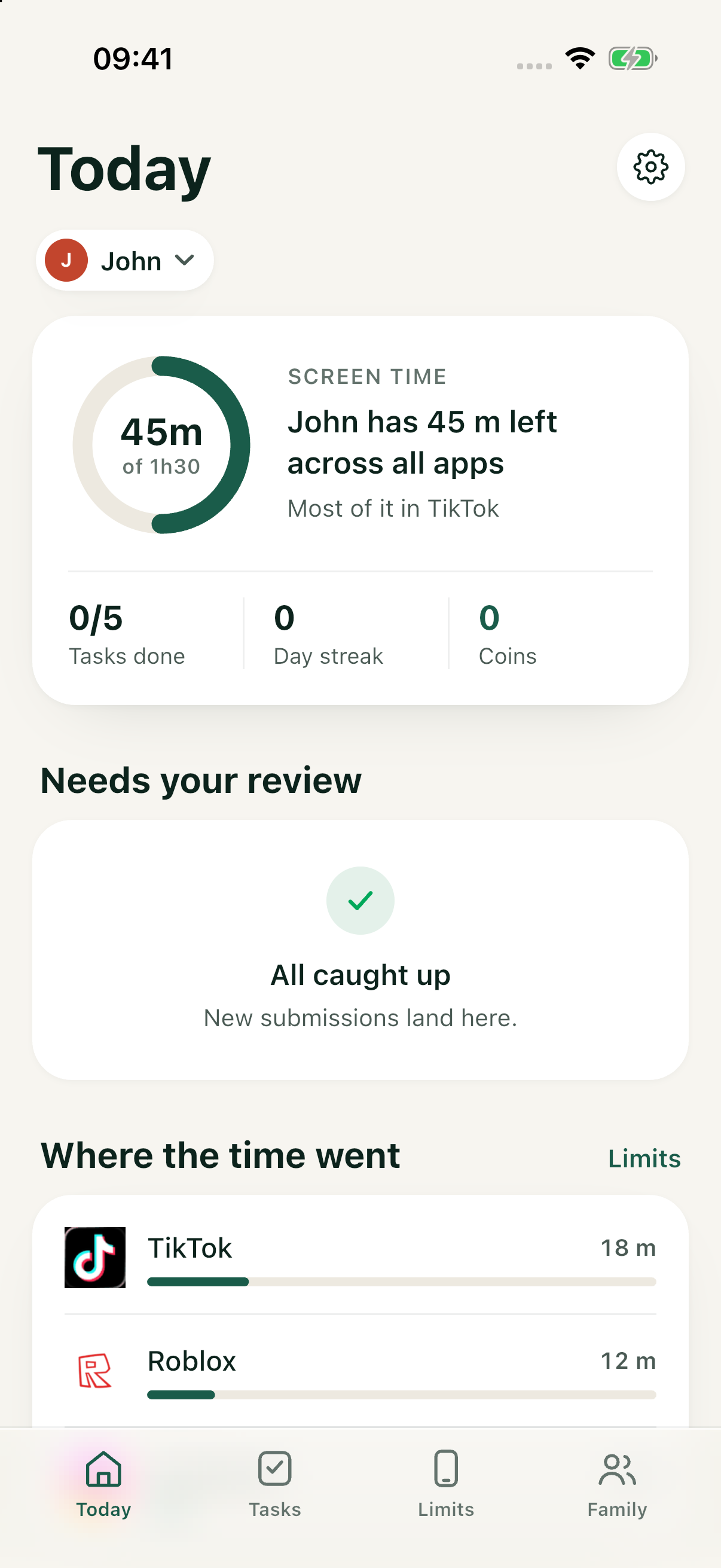
Safini parent dashboard for John
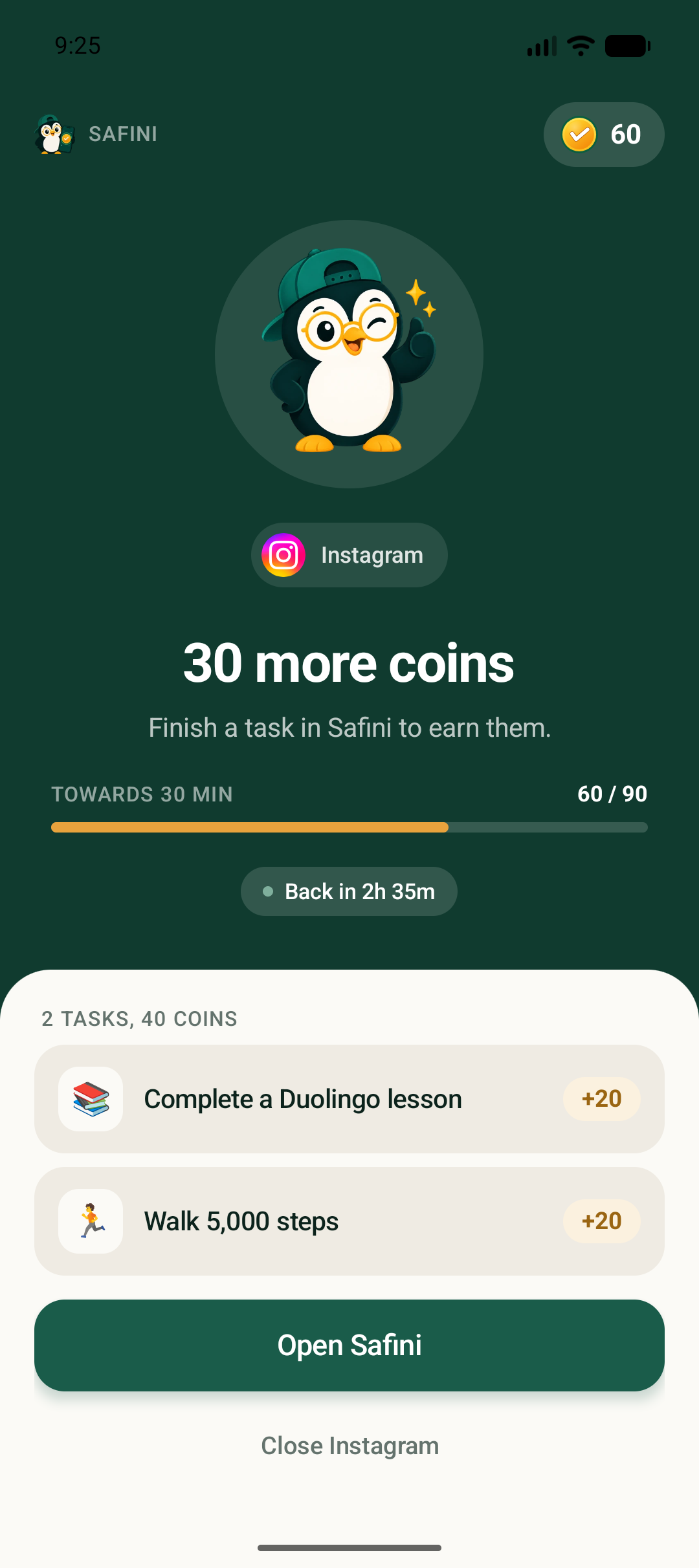
Real Safini Android child screen: Instagram is paused with 30 coins and an English Duolingo task
How it works

Three steps, then it runs itself.

Set up once on both phones. Limits are enforced on the child's device, so they keep working with the data switched off.

1

You set the prices

Pick the apps that get controlled, give each a daily free allowance, and set what extra minutes cost. Defaults are suggested by your child's age.

2

They earn the coins

Lessons, steps, puzzles, reading, chores. Some tasks are checked automatically; the rest come to you as a photo to approve.

3

The app unlocks

When the allowance runs out the app stops opening and shows the price. They pay, it opens instantly - no message to your phone required.

Why this is different

Everyone blocks. Nobody lets a child earn their way through.

Blocking alone makes the app the enemy and the parent the police. The same restriction, priced, becomes a game with a visible way through it.

BlockersSafini
Locks the apps✓✓
A price the child can pay-✓
Rewards good habits, not obedience-✓
One dashboard across an iPhone parent and an Android child-✓
Plans

Start with one task today.

Free

$0/month
No subscription needed
Start free
  • The full earn-and-unlock routine
  • Parent accounts: 1
  • Child profiles: 1
  • Up to 5 controlled apps per child
  • Up to 5 recurring tasks per child

Questions parents actually ask.

Can my child get around it?

A determined child can find a way around it. Safe mode, another user profile or a factory reset can defeat app-based protection. Safini helps you spot changes when the device can report them, but cannot catch every bypass. Set it up together and check that permissions stay on.

Does an iPhone parent work with an Android child?

Yes. Parents can use iPhone or Android. Child app blocking currently requires an Android device with the required permissions. iPhone child protection is not yet available in the release app.

What if the internet is off?

Previously synchronized limits can run locally on a supported child device. New approvals, balances and settings need synchronization. Offline behavior depends on the device and permissions.

Which languages and phones?

English, Russian, Uzbek, Kyrgyz and Kazakh are available in the app. The parent app supports iOS 17.4+ and Android 8+. Check the setup guide for child-device compatibility and supervise the settings you choose.

What data does Safini use?

Safini processes account and family data, tasks, app activity and optional proof media to provide its features. We do not sell personal data or use child data for targeted ads. See the privacy policy for data handling and your choices.

What does Fini do?

Fini helps parents review goals, suggestions and selected task checks. Parents choose allowed actions and can review or pause them. AI can make mistakes; review important decisions.
Get Safini on both phones tonight.

Install Safini on your phone and on your child's, then set the prices together. The free plan covers one child.

Investor? safini.team@gmail.com